Restricted
AFZ Admin
Separated from the public homepage so admin logic does not bloat the main site.
Waiting for sign-in.
- UID
- —
- —
- Role
- —
- Owner Check
- —
Control Room
Manage AFZ Data
Use the sidebar to control public visibility, maintain competition data and update international squads without touching the public site code.
Overview
Collections
Live counts and quick status for the AFZ data model.
Content
Public Page Content
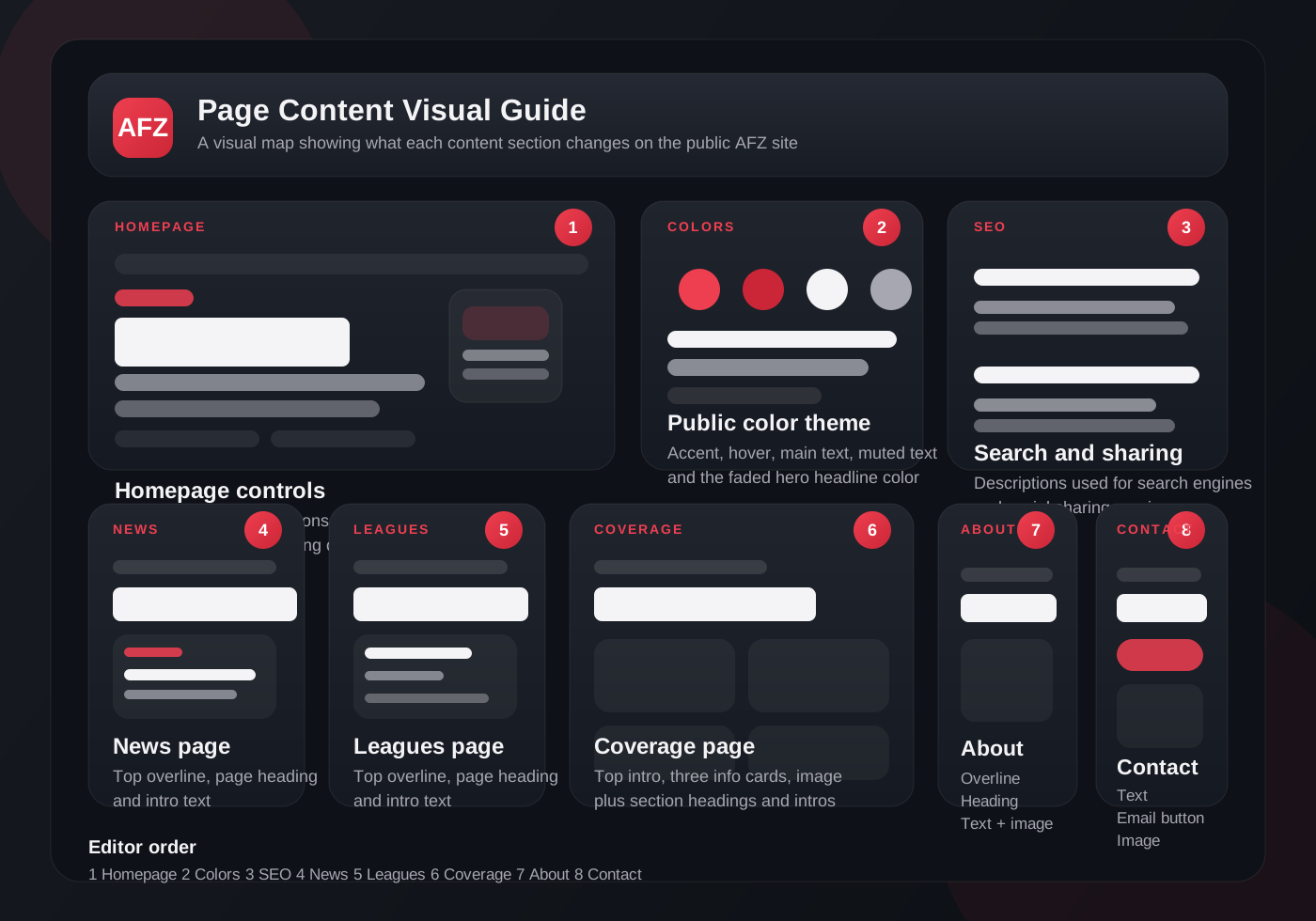
Edit the text, images and colors visitors actually see, without touching code.
Homepage controls the front page. News, Leagues, Coverage, About, Contact and Partners each control their own public page.
Control
Visibility
Choose what public visitors can see in navigation, on the homepage and inside Coverage.
Use these switches to hide or show public blocks. Some pages keep their main shell, but the visible previews, links and content sections follow the settings below.
Show visibility debug
This shows the current pagesVisible state inside admin after each click.
Loading visibility state...
Homepage And Main Menu
These switches control what visitors can reach from the main navigation and what preview blocks appear on the homepage.
Coverage Sections
These switches control the main content sections inside the public Coverage page.
coverage.html.Individual Items
Hide or show specific countries, leagues, matches, tournaments and national teams without deleting them.
Countries
Leagues
Matches
Tournaments
National Teams
Editorial
News
Create, update and hide public news stories from one place.
Structure
Countries
Create and maintain country entries used across leagues, clubs and national teams.
Competitions
Leagues
Create domestic leagues or standalone competitions and control their public visibility.
Clubs
Teams
Manage club entries shown on the public site and linked to leagues.
Roster
Players
Maintain player records and link them to teams and leagues.
Fixtures
Matches
Control match visibility and link fixtures directly to leagues and tournaments.
International
Tournaments
Manage AOFC Cup, SEA Games, World Championship events and your own tournaments.
National Teams
International Squads
Manage national teams separately so they can be assigned to World Championships, AOFC Cup, SEA Games and future cups.
Backup
Backups And Restore
Download a full JSON backup of the current admin data, then restore it later if you need to recover or roll back changes.
Content settings, page visibility, news, countries, leagues, teams, players, matches, tournaments, national teams, admin users and trash.
The file is exported from the admin data currently loaded in this panel, so it mirrors what you can see here right now.
Load a previously exported AFZ backup JSON file, preview what is inside it, then choose how you want to restore it.
Merge Restore adds or updates records from the backup without deleting other live records.
Full Replace Restore makes the managed collections match the backup file, including deleting live records that are not in the backup.
No backup file loaded.
History
Backup History
Recent export and restore actions recorded from this admin panel.
Trash
Trash And Recovery
Deleted records land here first so you can restore them or remove them permanently later.
Users
Admin Access
Manage which Firebase-authenticated users can open and edit the AFZ admin panel.
Create the person in Firebase Authentication first, then paste their Firebase Auth `uid` here and assign a role.
Use `moderator` for content work without permanent trash deletion. Use `owner` or `superadmin` only for full control.
You can deactivate a user later without deleting their record.